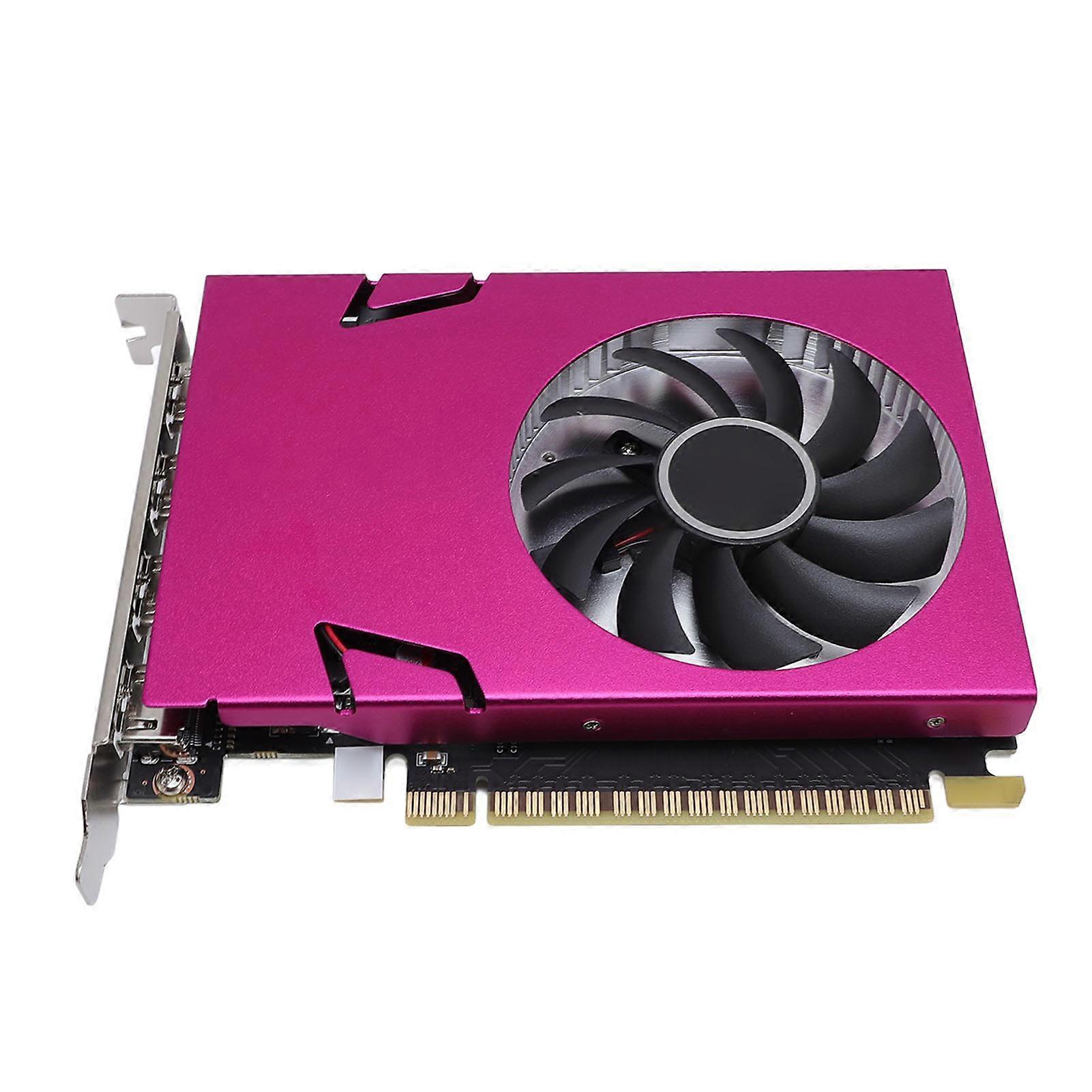
2GB 128bit DDR3 993MHz GPU with 4 HD Multimedia Ports PCI-E 2.0


+ €5.99 Shipping
2GB 128bit DDR3 993MHz GPU with 4 HD Multimedia Ports PCI-E 2.0

  • Brand: Unbranded
Sold by:

2GB 128bit DDR3 993MHz GPU with 4 HD Multimedia Ports PCI-E 2.0

  • Brand: Unbranded

In stock
+ €5.99 Shipping
Sold by:

In stock
+ €5.99 Shipping

We accept the following payment methods

Description

2GB 128bit DDR3 993MHz GPU with 4 HD Multimedia Ports PCI-E 2.0

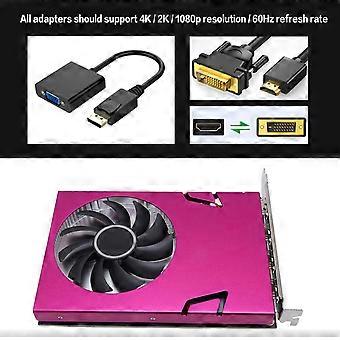
Graphics Card with 4 HD Multimedia Interface 993MHz 1600MHz 2GB 128bit DDR3 PC Desktop Computer Video GPU for Wins 7 10 Item Type: Computer Graphics Card Material: PCB+Aluminum Core Code and Process: GK107/28nm Core Frequency/Memory Frequency: 993/1600MHz Memory Capacity: 2GB/128bit/DDR3 3D Features: DirectX 11/OpenGL 4.6 Other Features: API, CUDA, PhysX, FXAA Operating System Compatibility: For Wins 7/For Wins 10 (32 and 64) Cooler: YDP18-A Bus Interface: PCI-Express 2.0 x 16 Output Interface: HD Multimedia Interface x4 External Power Supply: None Low Profile Bracket: None How e:Product Installation: 1. Turn off the power and unplug all connections, open the main chassis. 2. If there are other graphics cards installed on the motherboard, remove them first, then insert the new graphics card into the PCI Express X16 slot provided on the motherboard. 3. If the graphics card comes with additional power input interfaces, find the corresponding plugs on the main power supply, connect them to the graphics card using these adapter plugs to provide sufficient power to the graphics card. 4. Tighten the fixing screws on the graphics card bracket to ensure the graphics card is securely in place. 5. Close the chassis, reconnect all peripheral device connections, then plug the monitoring screen connection into the corresponding interface on the graphics card. 6. If you need e the TV OUT, HD Multimedia Interface, DisplayPort or other interfaces on a TV or display device, please confirm if the graphics card has the corresponding interfaces first, and then connect the display device and the graphics card using the appropriate cables. Driver Installation: 1. The graphics card driver installation should be done after the graphics card hardware installation is completed and the computer is booted up for the first time. 2. Graphics cards are divided into two main series. Please choose the appropriate driver installation according to the actual product information. You can complete the driver installation according to the following steps: Step 1: After the system is started, enter the official website and click to enter the product center. Step 2: Please check the graphics card model marked on the box, or the product name plate on the back of the graphics card. If your graphics card model starts with GT, click it; If your graphics card model begins with R, click" Step 3: Please enter the corresponding product page according to the specific graphics card model, click"Driver download", according to your installed operating system version to download the corresponding driver. Step 4: After downloading the driver, double click the file to start the installation. Follow the instructions of the installation to install. Restart your computer when the installation is complete.
  • Fruugo ID: 415951142-877903564
  • EAN: 4641339853774

Delivery & Returns

Dispatched within 24 hours

  • STANDARD: €5.99 - Delivery between Wed 17 December 2025–Fri 26 December 2025

Shipping from China.

We do our best to ensure that the products that you order are delivered to you in full and according to your specifications. However, should you receive an incomplete order, or items different from the ones you ordered, or there is some other reason why you are not satisfied with the order, you may return the order, or any products included in the order, and receive a full refund for the items. View full return policy

Product Compliance Details

Please see the compliance information specific to this product outlined below.

The following information is provided by the independent third-party retailer selling this product.

Manufacturer
The following information outlines the contact details for the manufacturer of the relevant product sold on Fruugo.

  • Closet Couture
  • Guangzhou Yi'an Gongchuang Network Technology Co., Ltd.
  • Room 201, Area B, No. 280, Zhongshan Avenue East, Huangpu District
  • Guangzhou City, Guangdong Province
  • China
  • Guangzhou
  • CN
  • 511363
  • nobxbucyv@outlook.com
  • 19065061059

Responsible Person in the EU
The following information outlines the contact information for the responsible person in the EU. The responsible person is the designated economic operator based in the EU who is responsible for the compliance obligations relating to the relevant product sold into the European Union.

  • SUCCESS COURIER SL
  • SUCCESS COURIER SL
  • CALLE RIO TORMES NUM.1,DERECHA,OFICINA 3,Fuenlabrada
  • Madrid
  • Spain
  • Madrid
  • Spain
  • 28947
  • successservice2@hotmail.com
  • 34910602659