Blanco Sink Strainer Basket Set: 2-Pack Replacement

22,95 €
KOSTENLOSER Versand

Blanco Sink Strainer Basket Set: 2-Pack Replacement

  • Marke: Unbranded
Verkauft von:

Blanco Sink Strainer Basket Set: 2-Pack Replacement

  • Marke: Unbranded

22,95 €

Bespaar 3,00 € (11%)

UVP

25,95 €
Auf Lager
KOSTENLOSER Versand

14-Tage-Rückgabepolitik

Verkauft von:

22,95 €

Bespaar 3,00 € (11%)

UVP

25,95 €
Auf Lager
KOSTENLOSER Versand

14-Tage-Rückgabepolitik

Zahlungsmethoden:

Beschreibung

Blanco Sink Strainer Basket Set: 2-Pack Replacement

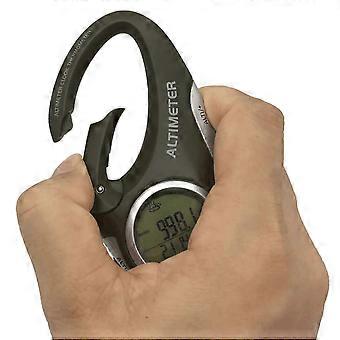
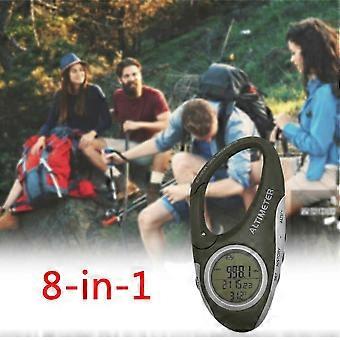
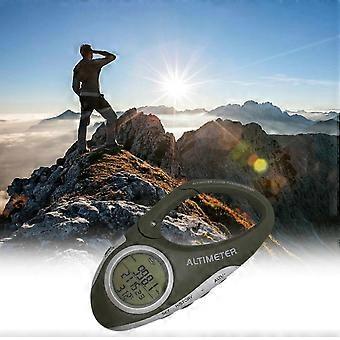
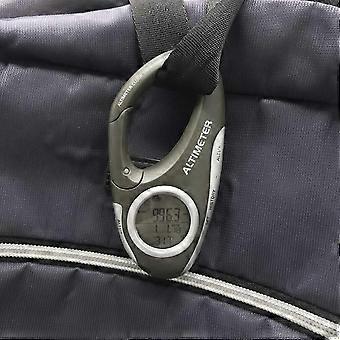
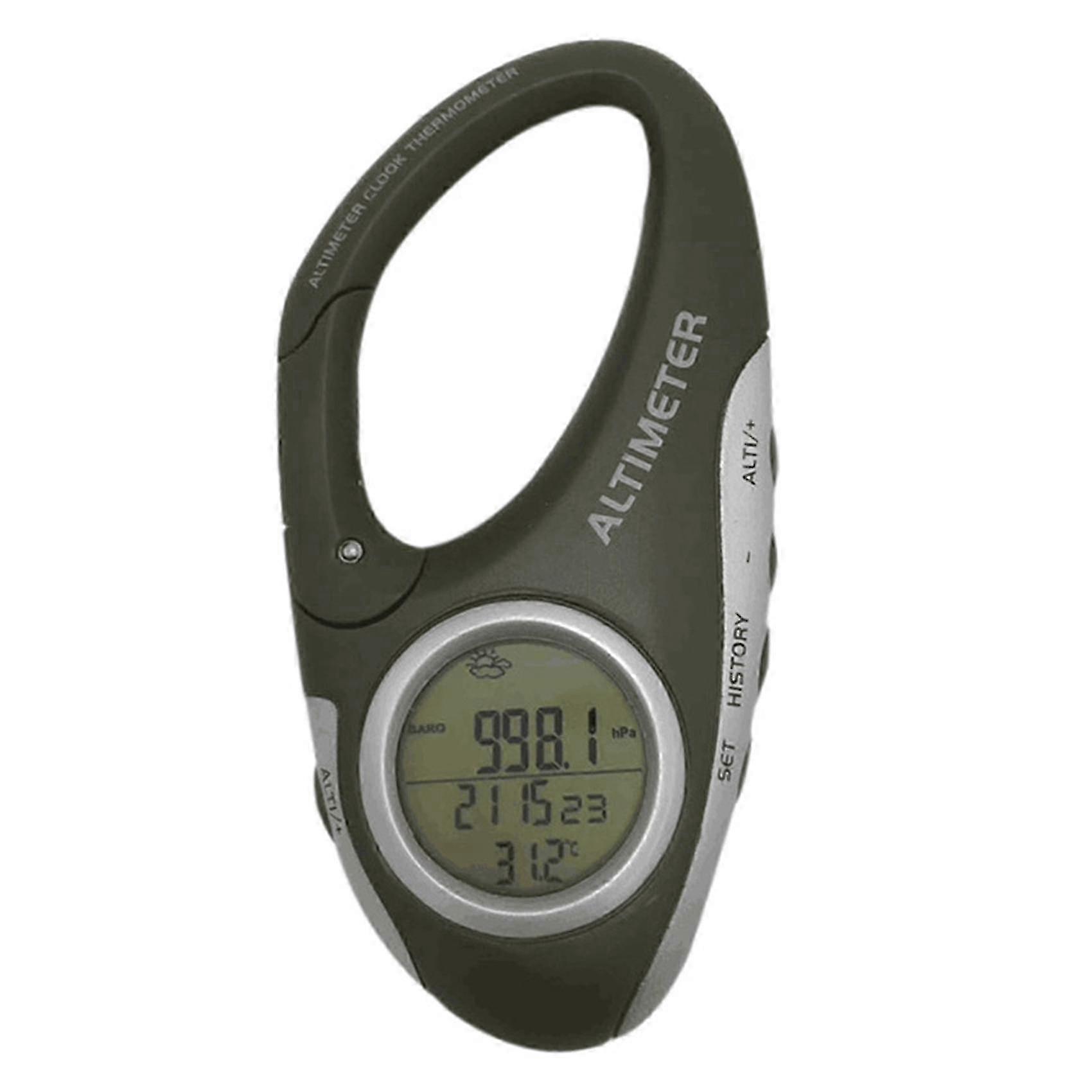
Barometer: The current barometric pressure will be displayed on the screen immediately after power on. Press the [ALTI/+] button to switch between barometer and altimeter. Altimeter: The altitude value displayed on the screen after power on is the sea level altitude of the current location. In the altitude display state, press the [SET] and [ALTITUDE/+] keys simultaneously, you can press [+] or [-] to change the current altitude value. Relative altimeter: The use of the relative altimeter is to clear the height value measured at this time, and use the position at this time as the 0M height point, and the height value rising or falling from the 0 height point is the relative height value. The for resetting the altitude value is to press and hold the [ALTI/+] button until 0M is displayed at the bottom of the screen, and then start to move, and the relative altitude value of the move will be displayed on the screen. Press and hold the [ALTI/+] button again to switch back To the actual height value. Weather forecast: It can predict the weather conditions in the 12 to 24 hours when it is turned on, and the effective range is 30-50KM. 1. Long press the [SET] button for 2 seconds, 24Hr flashes, press the [ALTI/+] button to switch between 24Hr or 12Hr 2. Press the [SET] button to enter the time setting, at this time the hour digits flash, press [ALTI/+] or [-] to set the hour value 3. Press the [SET] button to flash the minutes, press [ALTI/+] or [-] to set the minutes 4. Press the [SET] button to flash the calendar year number, press the [ALTI/+] or [-] button to set the year value 5. Press [SET] button to flash the calendar month number, press [ALTI/+] or [-] button to set the month value 6. Press the [SET] button to flash the calendar date number, press the [ALTI/+] or [-] button to set the date value 7. Press the [SET] button to flash the temperature unit Celsius, press the [ALTI/+] button to switch between Celsius or Fahrenheit 8. Press the [SET] button and the air pressure unit flashes, press the [ALTI/+] button to switch to the air pressure unit /inHg/mmHg 9. Press the [SET] button to flash the height unit M, press the [ALTI/+] button to switch between the height unit M or FEET 10. After the setting is completed, press [HISTORY] to exit the setting state, or automatically exit the setting without doing any operation within 10 seconds colour:Black grey Material:ABS size:9 x 5 x 2cm Package Contents: 1 x altimeter barometer 1 x English manual 1 x CR2032 button battery (not included) Only the above package content, other products are not included. Note: Light and different displays may cause the color of the item in the picture a little different from the real thing. The measurement allowed error is +/- 1-3cm.
  • Fruugo-ID: 374860452-811766101
  • EAN: 6955053446944

Lieferung und Rückgaben

Versand innerhalb von 24 Stunden

  • STANDARD: KOSTENLOS - Lieferung zwischen Mo. 19 Januar 2026–Do. 05 Februar 2026 - KOSTENLOS

Versand von China.

Wir tun unser Bestes, um dafür zu sorgen, dass die von Ihnen bestellten Produkte vollständig und gemäß Ihrer Spezifikationen an Sie geliefert werden. Wenn Sie allerdings eine unvollständige Bestellung oder Artikel erhalten, die sich von den bestellten unterscheiden, oder es einen anderen Grund gibt, warum Sie mit Ihrer Bestellung nicht zufrieden sind, können Sie die gesamte Bestellung oder einzelne darin enthaltenen Produkte zurücksenden und eine vollständige Rückerstattung für die Artikel erhalten. Vollständige Rückgaberichtlinie ansehen

Details zur Produktkonformität

Bitte beachten Sie die unten aufgeführten Konformitätsinformationen zu diesem Produkt.

Die folgenden Informationen werden vom unabhängigen Drittanbieter bereitgestellt, der dieses Produkt verkauft.

Hersteller:
Es folgen die Kontaktdaten für den Hersteller des jeweiligen Produkts, das auf Fruugo verkauft wird.

  • Shenzhen Wuyuntianxia Technology Co., Ltd.
  • Shenzhen Wuyuntianxia Technology Co., Ltd.
  • Room 301, 3rd Floor, Building 3, Yuxiang Factory, Longcheng Industry & Trade, Dalang Street, Longhua District,
  • shenzhen
  • china
  • 518100
  • contact@evatmaster.com
  • 17700573203

Verantwortliche Person in der EU:
Es folgen die Kontaktinformationen für die verantwortliche Person in der EU. Die verantwortliche Person ist der benannte Wirtschaftsteilnehmer mit Sitz in der EU und verantwortlich für die Compliance-Verpflichtungen in Verbindung mit dem jeweiligen Produkt, das in die Europäische Union verkauft wird.

  • eVatmaster Consulting GmbH
  • eVatmaster Consulting GmbH
  • Bettinastr.30
  • Frankfurt am Main
  • Germany
  • 60325
  • contact@evatmaster.com
  • https://www.evatmaster.eu/