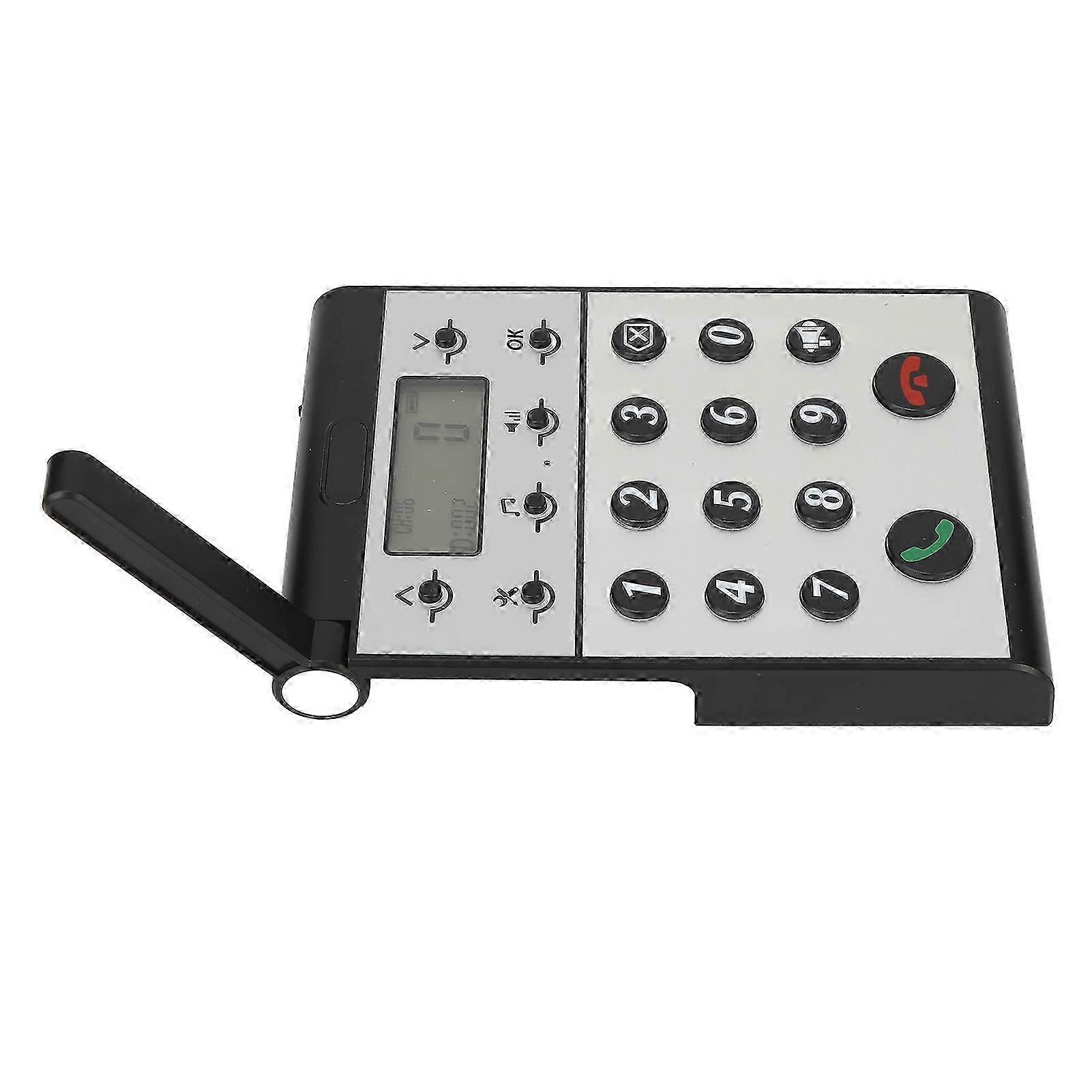
Wireless Intercom System for Home Two Way Talk 2km Range LCD Screen Group Calls Room To Room Master Intercom

48,95 €
+ 10,99 € Versand

Wireless Intercom System for Home Two Way Talk 2km Range LCD Screen Group Calls Room To Room Master Intercom

  • Marke: Unbranded
Verkauft von:

Wireless Intercom System for Home Two Way Talk 2km Range LCD Screen Group Calls Room To Room Master Intercom

  • Marke: Unbranded

48,95 €

Bespaar 25,05 € (33%)

UVP

74,00 €
Auf Lager
+ 10,99 € Versand

14-Tage-Rückgabepolitik

Verkauft von:

48,95 €

Bespaar 25,05 € (33%)

UVP

74,00 €
Auf Lager
+ 10,99 € Versand

14-Tage-Rückgabepolitik

Wir akzeptieren die folgenden Zahlungsmethoden

Beschreibung

Wireless Intercom System for Home Two Way Talk 2km Range LCD Screen Group Calls Room To Room Master Intercom

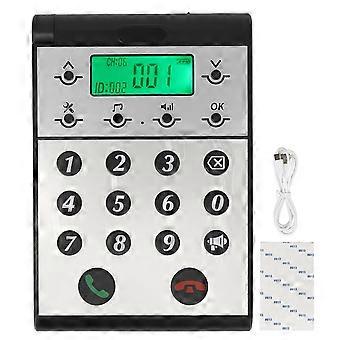
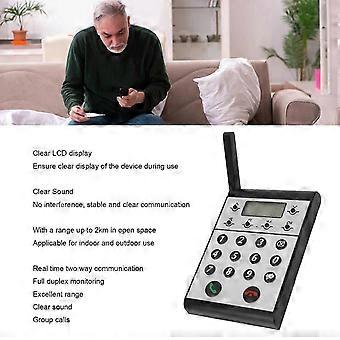
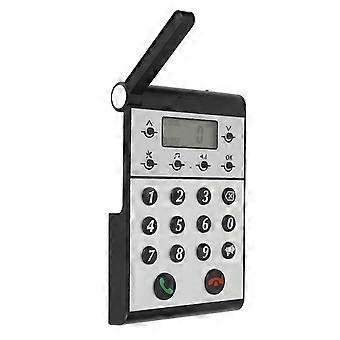
Description Wireless Intercom System for Home Two Way Talk 2km Range LCD Screen Group Calls Room To Room Master Intercom Item Type: Wireless Intercom Maerial: ABS Built in Battery: 2000mAh Lithium ion Battery Volume Level: 7 Levels Communication Distance: Up to 2km in open space Host to Host Intercom: All hosts can call each other Host to Sub intercom: Host can call sub intercoms How e Step One: Setting the ID Number for the Host 1. Press and hold the Settings key for 3 seconds until a beep is heard. 2. The screen will display 1. 3. Press the OK key and ID: 999 will begin to flash. 4. Use the keypad to input the desired ID number (0 is between 1 and 998). 5. Press OK to confirm and an audible dudu sound will indicate that the ID number has been set successfully. Step Two: Setting the Same Channel CH for the Host 1. Press and hold the Settings key for 3 seconds until a beep is heard. 2. Press the upward arrow key ^ once and the screen will switch from 1 to 2. 3. Press OK and CH: 01 will begin to flash. 4. Use the upward or downward v arrow key to adjust the channel CH, selecting a channel number between 01-20. 5. Press OK to confirm and an audible dudu sound will indicate that the channel CH has been set successfully. Step Three: Setting the Same Password for the Host 1. Press and hold the Settings key for 3 seconds until a beep is heard. 2. Press the upward arrow key ^ once more and the screen will switch from 1 to 3. 3. Press OK and 000 will begin to flash. 4. Use the keypad to input the desired password, a three-digit number between 001-999. 5. Press OK to confirm and an audible dudu sound will indicate that the password has been set successfully.
  • Fruugo-ID: 408645431-865767100
  • EAN: 8936090420966

Produktsicherheitsinformationen

Bitte beachten Sie die unten aufgeführten spezifischen Produktsicherheitsinformationen für dieses Produkt

Die folgenden Informationen werden vom unabhängigen Drittanbieter bereitgestellt, der dieses Produkt verkauft.

Produktsicherheitsetiketten

CE Mark
Sicherheitswarnungen: WARNING! NOT TO BE EXPOSED TO INFANTS AND CHILDREN, MAY CAUSE CHOKING!
Zutaten: Octinoxate 6.5%

Lieferung und Rückgaben

Versand innerhalb von 24 Stunden

  • STANDARD: 10,99 € - Lieferung zwischen Mi. 24 Dezember 2025–Mi. 31 Dezember 2025

Versand von China.

Wir tun unser Bestes, um dafür zu sorgen, dass die von Ihnen bestellten Produkte vollständig und gemäß Ihrer Spezifikationen an Sie geliefert werden. Wenn Sie allerdings eine unvollständige Bestellung oder Artikel erhalten, die sich von den bestellten unterscheiden, oder es einen anderen Grund gibt, warum Sie mit Ihrer Bestellung nicht zufrieden sind, können Sie die gesamte Bestellung oder einzelne darin enthaltenen Produkte zurücksenden und eine vollständige Rückerstattung für die Artikel erhalten. Vollständige Rückgaberichtlinie ansehen