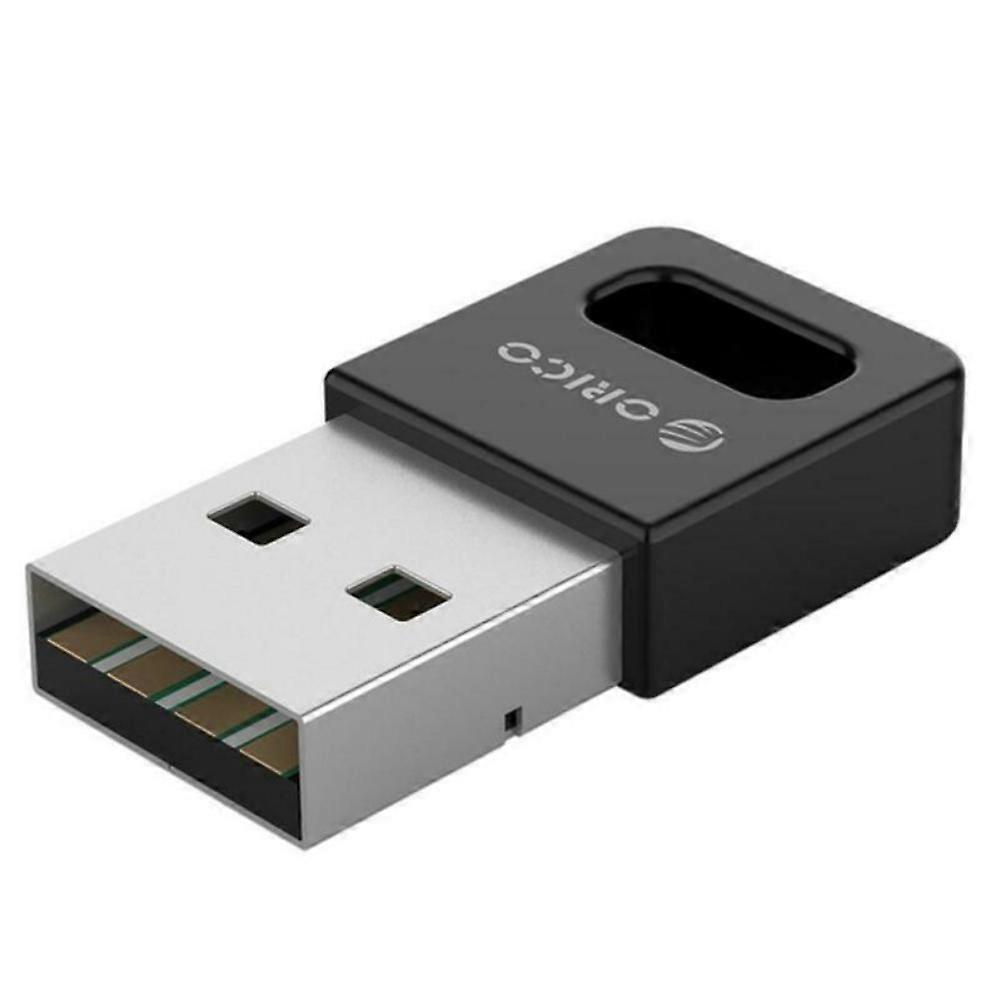
Wireless Bluetooth Adapter USB PC External Receiver for Bluetooth Speaker, Keyboard, Mouse, Game Controller

16,95 €
+ 0,49 € Versand

Wireless Bluetooth Adapter USB PC External Receiver for Bluetooth Speaker, Keyboard, Mouse, Game Controller

  • Marke: Unbranded
Verkauft von:

Wireless Bluetooth Adapter USB PC External Receiver for Bluetooth Speaker, Keyboard, Mouse, Game Controller

  • Marke: Unbranded

16,95 €

Bespaar 11,00 € (39%)

UVP

27,95 €
Auf Lager
+ 0,49 € Versand

14-Tage-Rückgabepolitik

Verkauft von:

16,95 €

Bespaar 11,00 € (39%)

UVP

27,95 €
Auf Lager
+ 0,49 € Versand

14-Tage-Rückgabepolitik

Zahlungsmethoden:

Beschreibung

Wireless Bluetooth Adapter USB PC External Receiver for Bluetooth Speaker, Keyboard, Mouse, Game Controller

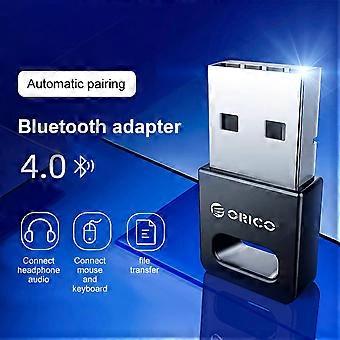
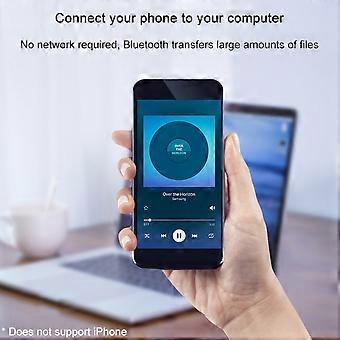
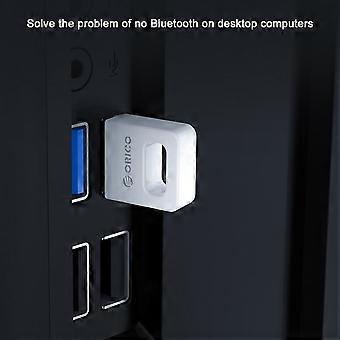
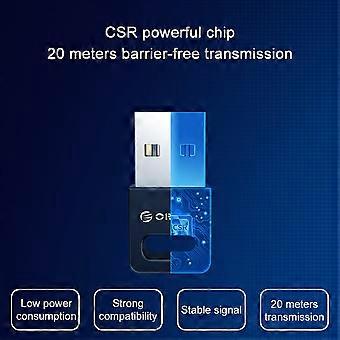
Description: Color: Black Interface: USB TYPE-A interface Product material: ABS material Chip: CSR8510 chip specification: Bluetooth 4.0 specifications Transmission rate: 3Mbps Transmission distance: ≤ 20m (more accessible transmission effect within 10m) User Guide: 1. Insert the Bluetooth adapter into the computer's USB interface, and download the driver on the Orico official website, decompression, run Setup.exe for installation. 2. The installation process will the window prompt selection, open the search mode, SCMS-T is enabled, the type is selected according to the computer type, then click Next until it is completed. If the installation process 360 and other related management programs are prompted to write to the registry, please select Allow. 3. After driving the installation, double-click the computer (my computer) to open my Bluetooth device, select Add Device - All, double-click the searchable Bluetooth headset device, automatically start pairing, if you have prompted "Bluetooth Password", general 0000 (Some passwords depending on the Bluetooth headset will be different, some are 8888, or 1234, etc., can view the manual of the device). 4. For the first time, you need to enter the Orico Bluetooth headset into the pairing mode. General Bluetooth headphones enter the pairing mode: In the shutdown state, press the boot button to do not let go, press the indicator light of the 5 seconds or so, if it is red, the state is released, this is to enter the search mode (some headphones Entering the pairing mode is to hold the volume + and volume on the Bluetooth headset. For details, please refer to the Orico Headphone Manual), the computer can search this Bluetooth headset. 5. After connecting to the headset, it will generally automatically switch to the Bluetooth output. If the system does not automatically switch to Bluetooth audio output, go to the lower right corner sound icon right-play device, and set the Bluetooth headset to default output (under XP system) to start-control panel-sound and audio-audio settings). (The player sound that has been opened under the XP system will not switch to Bluetooth immediately, you need to exit the player, and turn it on to the Bluetooth output.). To implement a call function, set the default input to Bluetooth in recording (recording). Package Included: 1 x Desktop Notebook Bluetooth Receiver With enhanced drive, do not install the drive/tablet can only transfer files, install the full drive computer to connect to the Bluetooth headset listening to songs. Solve a desktop computer without Bluetooth issues, ordinary desktop computer generally does not have Bluetooth functionality. Computer connection wireless mouse and mouse response is sensitive and no delay, the office is freer. Mobile phone connection computer, no network, Bluetooth transfer a lot of files. Bluetooth automatic compatibility, WIN8 / WIN10 system is automatically compatible with Bluetooth 4.1 / 4.2 / 5.0, Win8 and above, etc.
  • Marke: Unbranded
  • Kategorie: USB-Adapter
  • Farbe: Multicolor
  • Fruugo-ID: 436089158-914279837
  • EAN: 9778424774234

Produktsicherheitsinformationen

Bitte beachten Sie die unten aufgeführten spezifischen Produktsicherheitsinformationen für dieses Produkt

Die folgenden Informationen werden vom unabhängigen Drittanbieter bereitgestellt, der dieses Produkt verkauft.

Sicherheitswarnungen: Warning to keep away from water to prevent electric shocks.
Zutaten: Other

Lieferung und Rückgaben

Versand innerhalb von 3 Tagen

  • STANDARD: 0,49 € - Lieferung zwischen Mo. 12 Januar 2026–Mi. 21 Januar 2026

Versand von China.

Wir tun unser Bestes, um dafür zu sorgen, dass die von Ihnen bestellten Produkte vollständig und gemäß Ihrer Spezifikationen an Sie geliefert werden. Wenn Sie allerdings eine unvollständige Bestellung oder Artikel erhalten, die sich von den bestellten unterscheiden, oder es einen anderen Grund gibt, warum Sie mit Ihrer Bestellung nicht zufrieden sind, können Sie die gesamte Bestellung oder einzelne darin enthaltenen Produkte zurücksenden und eine vollständige Rückerstattung für die Artikel erhalten. Vollständige Rückgaberichtlinie ansehen

Details zur Produktkonformität

Bitte beachten Sie die unten aufgeführten Konformitätsinformationen zu diesem Produkt.

Die folgenden Informationen werden vom unabhängigen Drittanbieter bereitgestellt, der dieses Produkt verkauft.

Hersteller:
Es folgen die Kontaktdaten für den Hersteller des jeweiligen Produkts, das auf Fruugo verkauft wird.

  • Yang Yue
  • Lixian Penghui Trading Co., Ltd.
  • Group 5,Renhe Village
  • Changde City
  • CN
  • 415500
  • susuruanruan@outlook.com
  • +1(319)277-0024

Verantwortliche Person in der EU:
Es folgen die Kontaktinformationen für die verantwortliche Person in der EU. Die verantwortliche Person ist der benannte Wirtschaftsteilnehmer mit Sitz in der EU und verantwortlich für die Compliance-Verpflichtungen in Verbindung mit dem jeweiligen Produkt, das in die Europäische Union verkauft wird.

  • eVatmaster Consulting GmbH
  • eVatmaster Consulting GmbH
  • Raiffeisen Street2 B1l
  • Rodgau
  • DE
  • 63110
  • contact@evatmaster.com
  • +49 61062699873